noobify Download

A free music player for Windows

All your music, one quiet player.

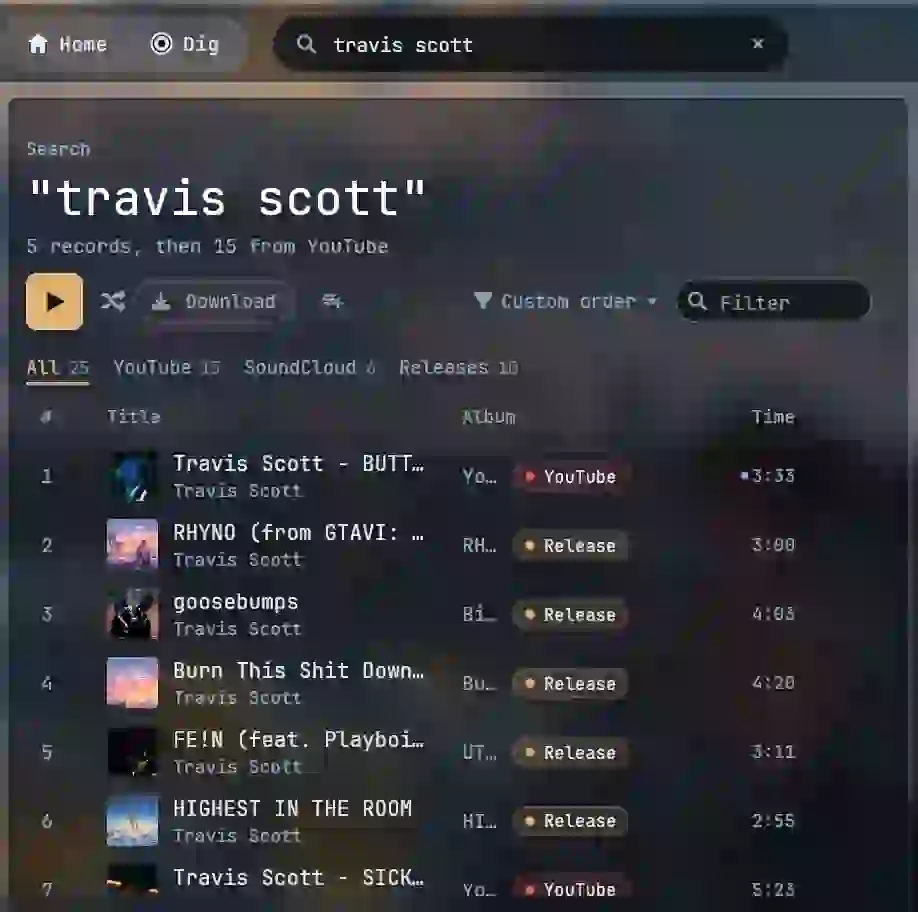
The files on your PC, plus Spotify, YouTube and SoundCloud, in one library, one queue and one search. It all lives on your disk and plays offline. No account, no cloud, no tracking.

  • Free, no ads
  • No account, ever
  • Plays offline

Cover: Skyline's city, by catzz.work

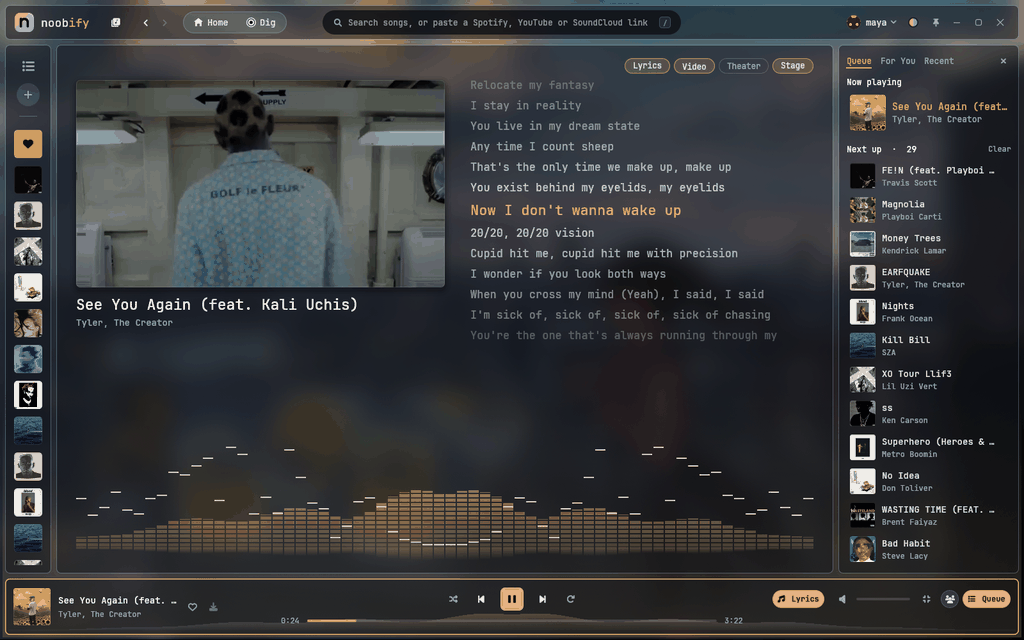
noobify's Now Playing page in the Skyline theme: the music video of See You Again by Tyler, The Creator beside its lyrics, the line being sung lit in amber, the queue on the right and the city behind it all.
Now Playing, in the Skyline theme: the video lined up with the record, the lyrics beside it.

Plays fromYour filesSpotifyYouTubeSoundCloud

One player, everything in it

Underneath it all, noobify is a plain local music player. Everything else is there for when you want it.

Library

Stop choosing where to listen.

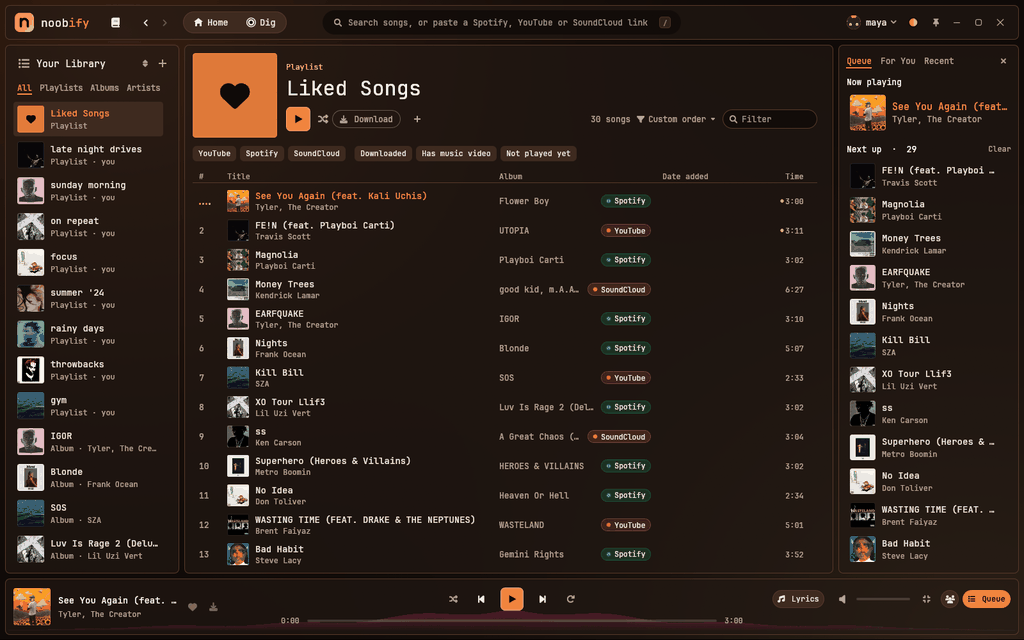
A Spotify playlist, a remix that only exists on YouTube, a SoundCloud upload and an MP3 off your drive can sit in one playlist and play one after another. Your queue and your stats don't care where a song came from.

Liked Songs: songs from Spotify, YouTube and SoundCloud in one list, each marked with where it plays from.

Lyrics & video

Sing along, or watch.

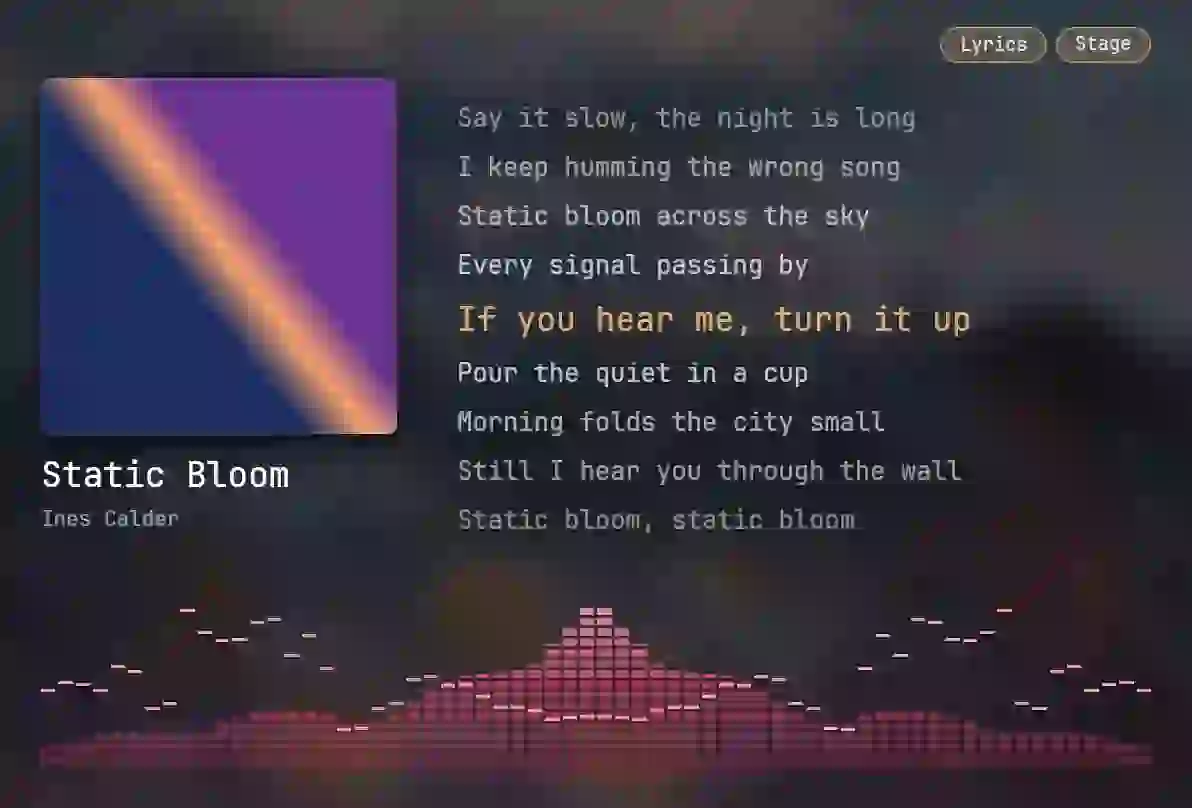
Synced lyrics, word by word when the timing's there, beside the official video lined up with the record.

noobify's Now Playing page: a song's synced lyrics moving up line by line, the line being sung lit, over the Stage visualiser.

Listening parties

Press play together.

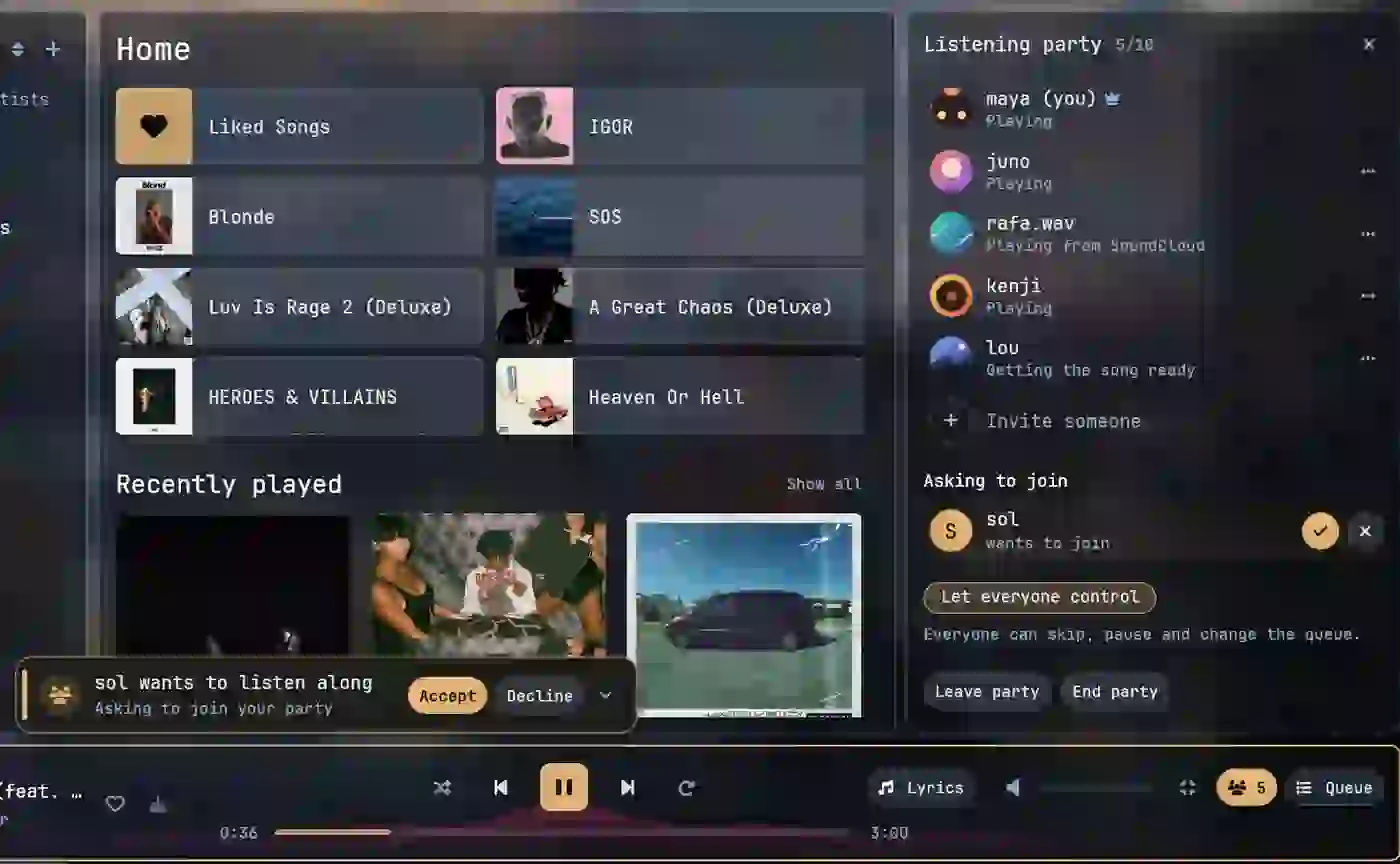
Send the invite link and up to ten friends listen with you, in time. The controls are shared from the start, so anyone can play, pause or skip, and a new song starts for everyone together. One shared queue, each song wearing who added it, and the room closes when the last person leaves. No Premium, no accounts.

The people here are made up. The music is real.

The listening party panel: maya hosting, then juno, rafa.wav, kenji and lou coming in one by one, each with how the song is playing for them, and sol asking to join.

The Dig

Music you'd never have found.

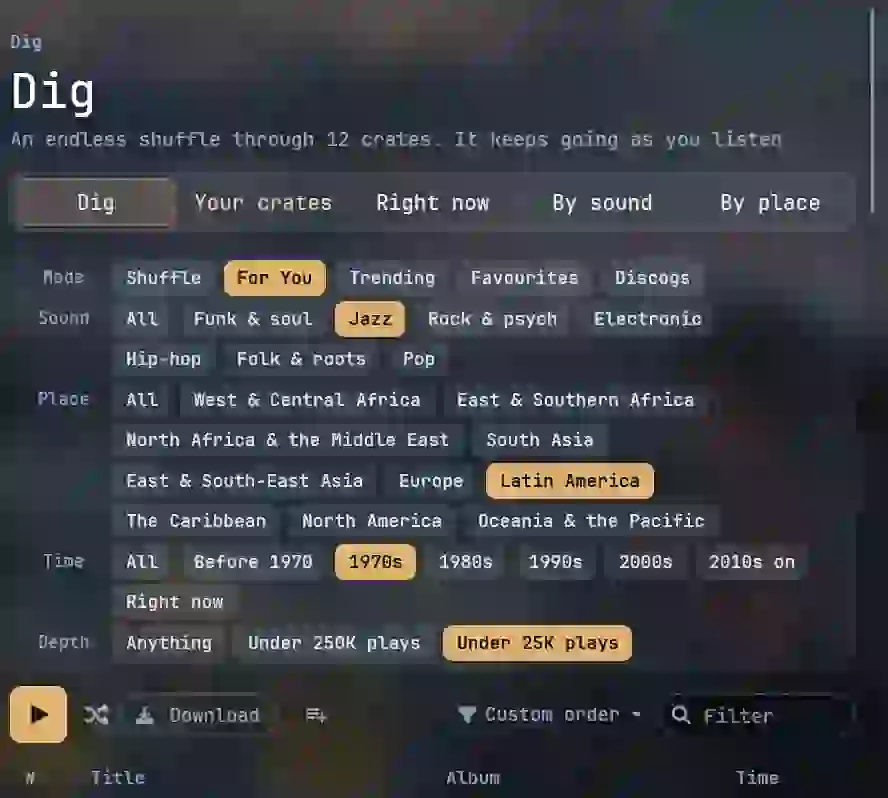
An endless shuffle through more than 150 crates, scenes from one place and time, from Nigerian afrobeat to Seoul's hip-hop. Inside a crate, the less-played songs come forward.

The Dig and its filters: Jazz, then Latin America, the 1970s and under 25 thousand plays picked one after another.

Visualisers

See the song.

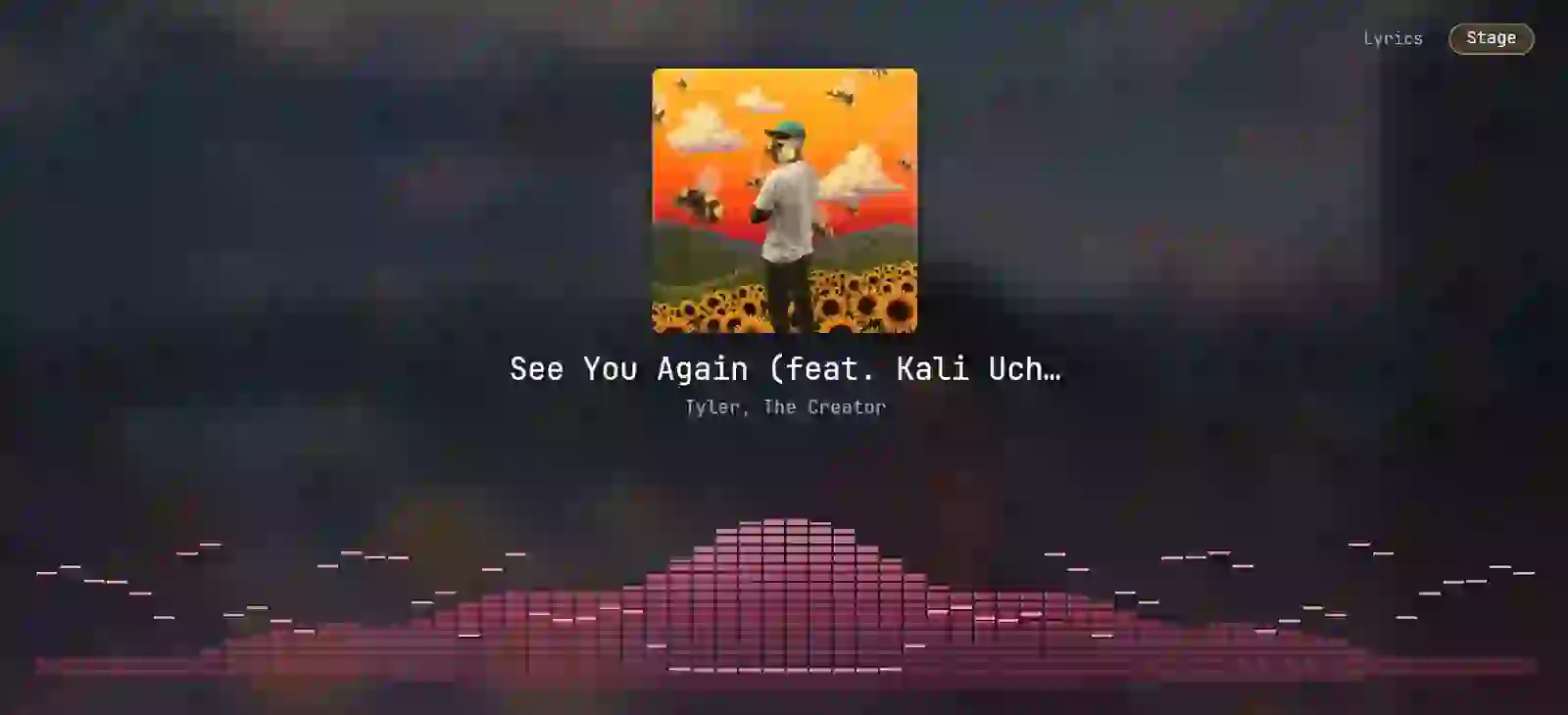
Stage, a club's wall of light. Aurora, with sparks thrown up by the kicks. Or the classic bars.

Now Playing with the visualiser under the cover: Stage, a wall of light in rows, then Aurora, then the classic bars, as its button steps through them.

Stats

Your listening, counted on your PC.

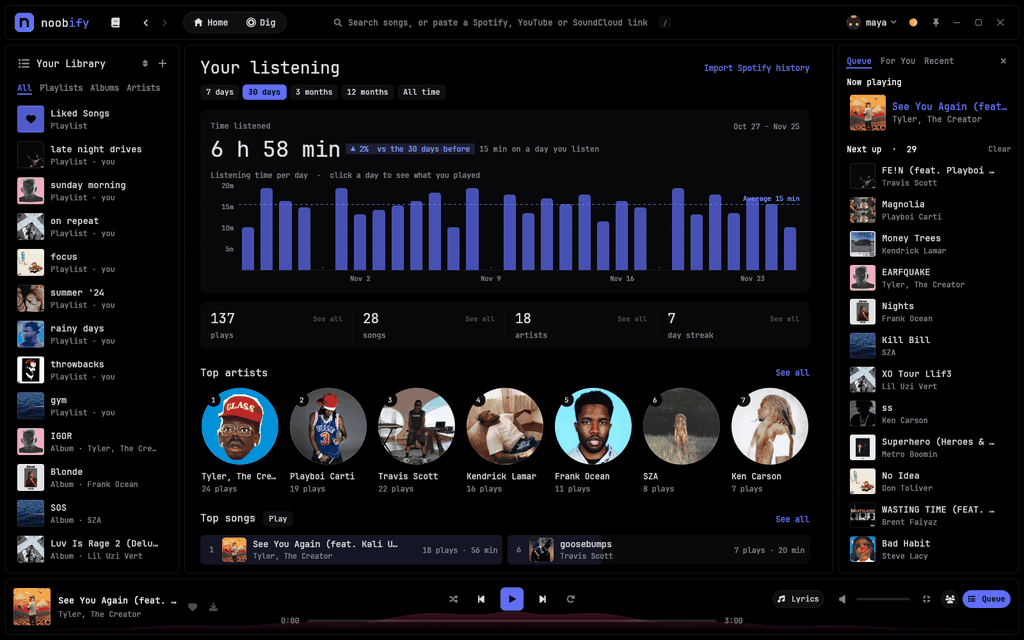
Time listened, top artists and songs, every play, your streaks. Import your Spotify history to start with years of it.

Time listened per day over 30 days, with plays, songs, artists and a day streak.

Song radio

It never runs out.

Start a radio from any song, artist, album or playlist, your Liked Songs or a crate. More songs like it keep coming as you listen.

Before an artist comes back
8 songs
How long it plays
As long as you listen

Local first

On your disk, not ours.

Your files play in place, and every song you stream is kept, so replays start at once and work offline.

%APPDATA%\noobify\

library.json
playlists
songbank\
offline songs
plays.jsonl
every play
config.json
settings

Music\Noobify\

*.mp3 *.wav
downloads

Discovery

More ways in.

Beyond the Dig, a few quieter ways to find something new.

For You
Songs picked from what you actually play, beside your queue.
Discogs digging
Records sorted by how few people own them.
Not interested
Hide a crate or an artist, and less of its kind comes up.

Mini player

Out of the way, on top.

A small window that stays over the others. Media keys, Windows' media panel and the lock screen all work too.

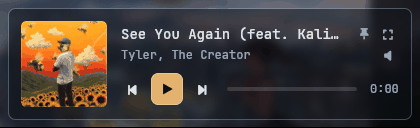
The mini player: cover, title, artist and controls in a small window.

Keyboard first

Hands stay on the keys.

Play, search and get around without the mouse, even from another app.

  • SpacePlay or pause
  • /Search
  • HDNGet around
  • CtrlAltSpaceFrom any app

And the little things

Offline downloads
Keep any playlist on your PC, with Pause and Try again. Or save songs as MP3 or WAV.
Your queue plays next
Songs you add play right after this one, in the order you added them.
Sort and filter
By title, artist, album, date added, length, source or last played.
Equaliser
Ten bands, heard the moment a slider moves.
Chapters
Long YouTube and SoundCloud mixes you can skip through.
Last.fm
Scrobbles what you play, if you want it to.
Your size and font
Default, Large or Larger (Ctrl+= and Ctrl+-), in Segoe UI, JetBrains Mono, Cascadia Code or Bahnschrift.
Every format
MP3, FLAC, WAV, M4A, AAC, OGG, Opus, WMA and AIFF.
Native
Written in Rust: a real app, not a website in a window.
Updates itself
Each update is checked before it's installed. Never asks for admin rights.
Gentle on YouTube
Told to slow down, it plays what's on your PC and fills in from SoundCloud.
A minute's tour
A short walk round the app that lights each part as it explains it.

A library in someone else's cloud can change overnight. One on your disk can't.

How it compares

noobify isn't a streaming service, and it's only for Windows. Here's how it sits beside the usual choices.

Compare with
noobify compared with Spotify, YouTube Music and a plain local music player, on the free version of each
noobifyFree, for Windows SpotifyFree plan YouTube MusicFree plan Local playerAny plain one
Account needed Yes: NoneOnly Spotify songs need one: your own, and a free one works. No: A Spotify account No: A Google account Yes: None
Ads Yes: None No: Yes, unless Premium No: Yes, unless Premium Yes: Usually none
Plays files from your PC Yes: Yes, where they are With a catch: In the desktop app With a catch: After uploading them Yes: Yes
Streams Spotify, YouTube and SoundCloud Yes: All three, in one queue With a catch: Its own catalogue With a catch: Its own catalogue No: No
Offline listening Yes: YesYour files, and the YouTube and SoundCloud songs you've played, kept on your disk. No: Premium only No: Premium only Yes: Your files
Listen together Yes: Free, up to 10 With a catch: Premium to start one No: No No: No
Where your library lives Yes: Your disk With a catch: Spotify's servers With a catch: Google's servers Yes: Your disk
Phone apps No: No, Windows only Yes: Yes Yes: Yes With a catch: Depends on the player

Spotify and YouTube Music as on their free plans in late 2026. Plans differ by country and change over time.

Seven themes, one that follows your desktop

Desktop takes its colours from your wallpaper, Wallpaper Engine included. Clear shows what's behind noobify through frosted glass. Ctrl+T steps through them.

noobify in the Skyline theme.
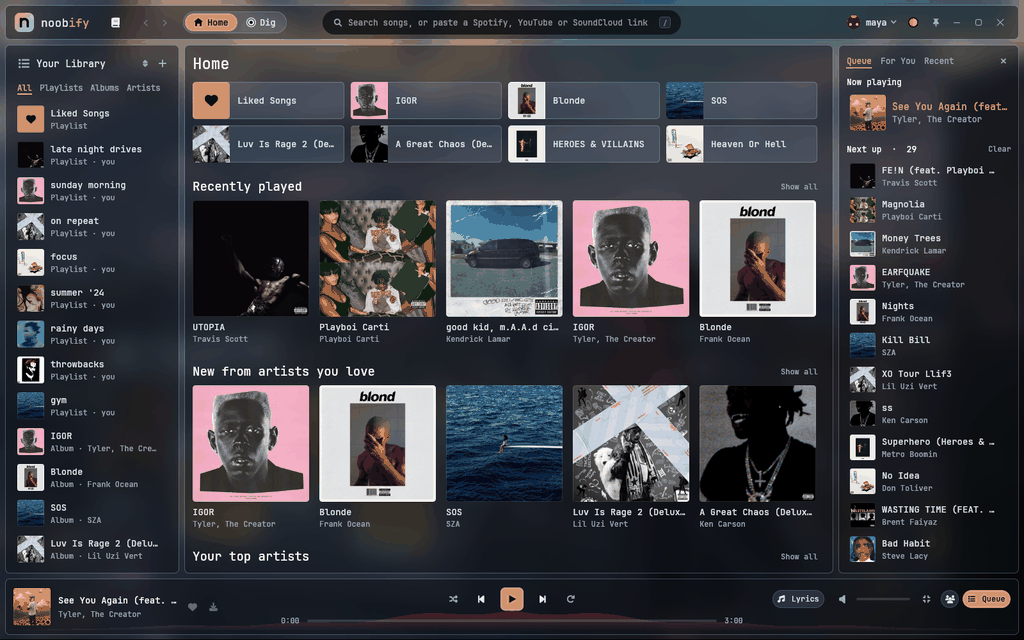
Skyline: a city at dusk behind the window, with amber highlights. City by catzz.work.

Nothing about you is kept

Everything noobify knows stays on your PC. The one thing we run is a small relay for listening parties.

On your PC

Plain files, in one folder

Your library
Playlists, likes, listening stats, settings, your name and picture.
Songs, covers and lyrics
Kept so replays start at once.

%APPDATA%\noobifyUninstall and delete that folder, and it's all gone.

Never

Nothing to sign up for

A noobify account
There isn't one, and there never will be.
Ads, trackers or analytics
None in the app or on this page. Nothing reports what you play.
Changes to your Spotify
noobify reads your playlists, likes and albums, and never writes.

Over the network

Straight from your PC

Songs, lyrics and covers
Fetched directly from YouTube, Spotify, SoundCloud and the other services it uses. Nothing passes through us.
Listening parties
The relay passes the song and who's in the party. The room is wiped when it ends, and no addresses are kept.

Everything it talks to, and what the relay keeps

Questions

Something else? Ask on GitHub.

Is it free?

Yes, completely. No ads, no paid tier, no account.

Can I use it just for my own music files?

Yes. Pick Continue without Spotify, drop your MP3, FLAC, WAV and other files onto a playlist, and noobify is a local music player with nothing to sign in to. They play from where they are; nothing is copied. YouTube and SoundCloud wait in the same search for when you want them.

Does it work offline?

Your own files always do. Songs you play from YouTube or SoundCloud are kept on your disk too, and the ones you like or save stay for good. Download a playlist to be sure it's all there, or to get songs out as MP3 or WAV.

Do I need Spotify?

No. Without it you have YouTube, SoundCloud and your own files. If you do sign in, your playlists, liked songs and albums come over, and a free Spotify account plays whatever you pick, in any order.

Is it safe to install?

The installer comes from noobify's GitHub releases. Every update is checked before it's installed, and noobify never asks for admin rights. It isn't code signed yet, so Windows may say "Windows protected your PC": click More info, then Run anyway.

Is it Windows only?

Yes: Windows 10 or 11, 64-bit. The Clear theme needs Windows 11.

What data do you keep?

Nothing about you. Everything noobify knows, from your playlists to every play behind your stats, is in plain files in its own folder (%APPDATA%\noobify). During a listening party the relay passes on the song and each member's name and picture, and the room is gone once the last person leaves. The privacy page has the details.

Do my friends need anything to join a party?

Just noobify. The invite link offers it to anyone who doesn't have it yet. No accounts and no Premium.

Get noobify

Free for Windows. Open the installer, press play, and it keeps itself up to date from then on.

Runs on
Windows 10 or 11, 64-bit
Costs
Nothing: no ads, no account
Installs
Without admin rights
Updates
By itself, each one checked first
If Windows warns you
noobify isn't code signed yet. Click More info, then Run anyway.